Try it
Drag the slider. These are the same conversions the app and widgets use.
Units for every kind of nerd
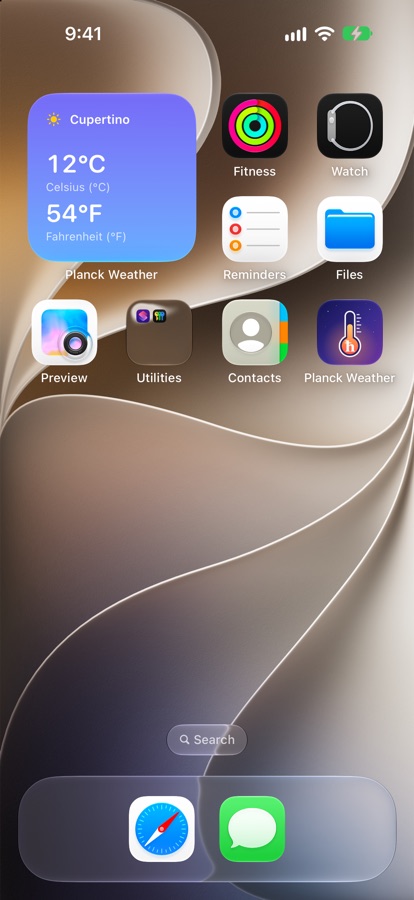
Each widget stacks two readouts you choose. Set your city and outfit once in the app, and every widget follows along.
Every classic scale
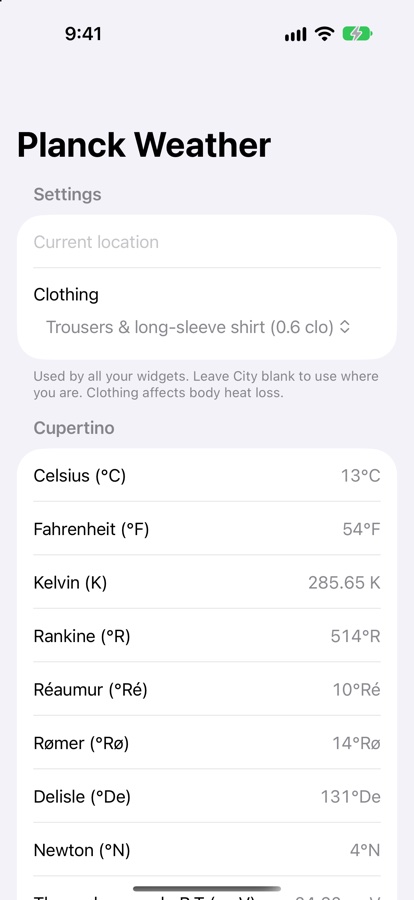
Celsius, Fahrenheit and Kelvin, plus Rankine, Réaumur, Rømer, Delisle and Newton.
Natural units
Today's temperature as a fraction of the Planck temperature, about 2×10⁻³⁰.
Thermal energy
The typical energy of a thermal kick, in meV. About 25 meV on a nice day.
Biology's currency
Thermal energy in units of ATP hydrolysis, its inverse, and the Boltzmann factor of one ATP, in scientific or log₁₀ form.
Body heat loss
Radiation, convection and evaporation from your skin, using air temperature, humidity, wind and what you're wearing.
On your wrist
Apple Watch complications and a Wear OS tile and complication, alongside home and lock screen widgets.
Screenshots
The widget stacks any two readouts. The app holds your settings and shows every unit at once.
Download
Planck Weather isn't in the app stores yet. On Android you can install it directly. The iPhone and Apple Watch version is on the way.
Android phone
- On your phone, tap Download Planck Weather 1.7.
- Open the downloaded file. If Android asks, allow your browser to install unknown apps.
- Open the app, allow location (or type a city), and pick your clothing.
- Long-press your home screen → Widgets → Planck Weather. Pick the 2×2 widget, the compact 2×1 one, or the transparent one-line widget that sits under the date. Then choose the two units to show.
Wear OS watch
Watches can't install downloads directly, so this one takes a computer. Turn on ADB debugging in the watch's developer options, then run:
adb install planck-weather-wear-1.7.apk